> ## Documentation Index
> Fetch the complete documentation index at: https://docs.gladia.io/llms.txt
> Use this file to discover all available pages before exploring further.
# Getting started
> Setup your Gladia account and start using the most reliable state-of-the-art Speech-To-Text API
### Signing Up
You will first need to create your account. Sign-up to [app.gladia.io](https://app.gladia.io/?utm_campaign=197609689-Website\&utm_source=documentation\&utm_content=sign-up). You can sign-up through Google
and more sign-up methods will be available in the near feature.
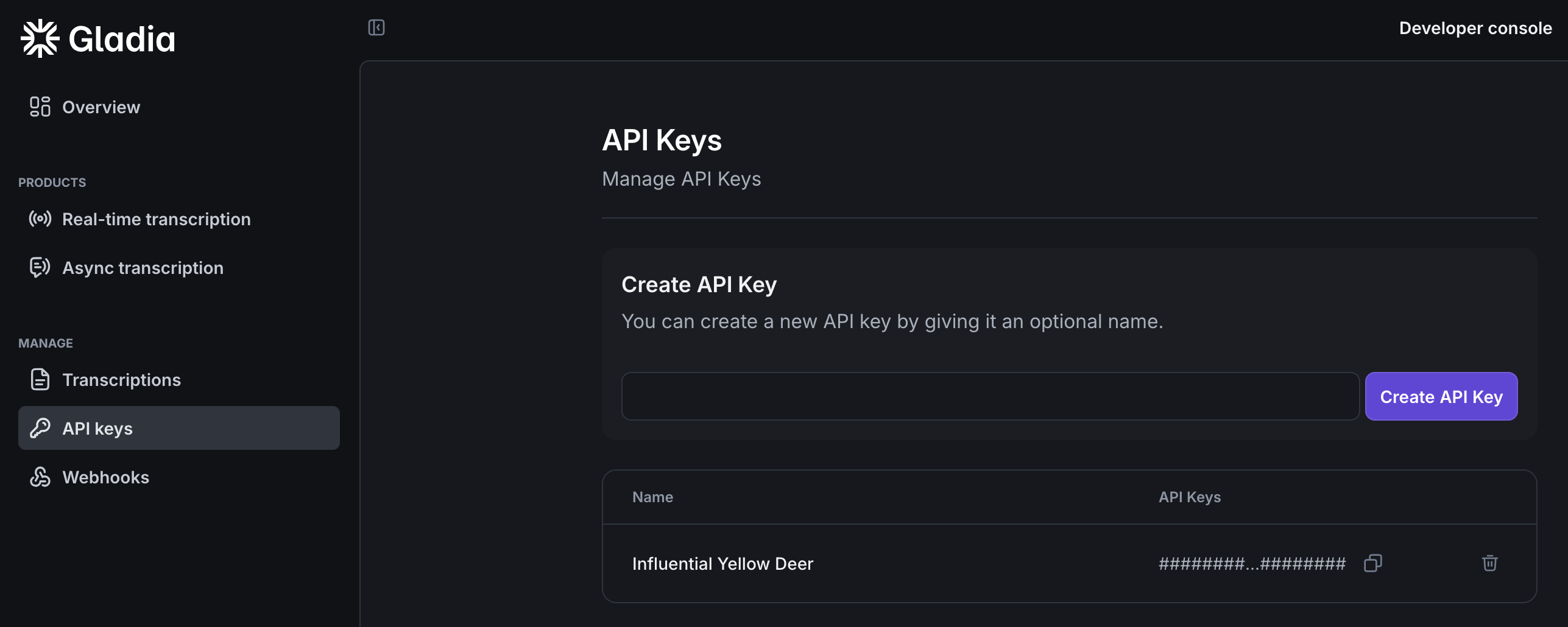
### Get your API key
Now that you signed up, login to app.gladia.io and go to the [API keys section](https://app.gladia.io/apikeys). We should have already
created a default key for you. You can use this one or create your own.
 Gladia offers 10 Hours of free audio transcription per month if you want to test the service!
With your API key, you're now ready to use Gladia APIs.
### With our SDK / API
Want to build your integration yourself ? Use our SDK or our API directly:
Quickstart with Real-Time transcription using Gladia.
Quickstart with Asynchronous transcription using Gladia.
### With one of our partners
If you want to build fast with Gladia, you can use one of our integration partners:
For built-in best practices
Framework for building voice AI agents
For real-time voice infrastructure
Platform for hosted voice AI agents
For meeting recorder / agents
For meeting recorder / agents
Open-source meeting bot API
To use Gladia with telephony
For adding video/audio calls to your app
For connecting agents to external tools
For no-code automation
For no-code automation
For workflow automation
## Next steps
Now that you tested Gladia's basic transcription, you might want to extract data, enhance, translate or format your audio
transcriptions.
On top of its **Speech-to-text API**, Gladia provides a whole set of tools that you might want
to use for your particular use cases like:
Gladia offers 10 Hours of free audio transcription per month if you want to test the service!
With your API key, you're now ready to use Gladia APIs.
### With our SDK / API
Want to build your integration yourself ? Use our SDK or our API directly:
Quickstart with Real-Time transcription using Gladia.
Quickstart with Asynchronous transcription using Gladia.
### With one of our partners
If you want to build fast with Gladia, you can use one of our integration partners:
For built-in best practices
Framework for building voice AI agents
For real-time voice infrastructure
Platform for hosted voice AI agents
For meeting recorder / agents
For meeting recorder / agents
Open-source meeting bot API
To use Gladia with telephony
For adding video/audio calls to your app
For connecting agents to external tools
For no-code automation
For no-code automation
For workflow automation
## Next steps
Now that you tested Gladia's basic transcription, you might want to extract data, enhance, translate or format your audio
transcriptions.
On top of its **Speech-to-text API**, Gladia provides a whole set of tools that you might want
to use for your particular use cases like: