> ## Documentation Index
> Fetch the complete documentation index at: https://docs.gladia.io/llms.txt
> Use this file to discover all available pages before exploring further.
# Authentication
> Use your API key to authenticate your calls
### Signing Up
You will first need to create your account. Sign-up to [app.gladia.io](https://app.gladia.io/?utm_campaign=197609689-Website\&utm_source=documentation\&utm_content=sign-up). You can sign-up through Google
and more sign-up methods will be available in the near feature.
### Get your API key
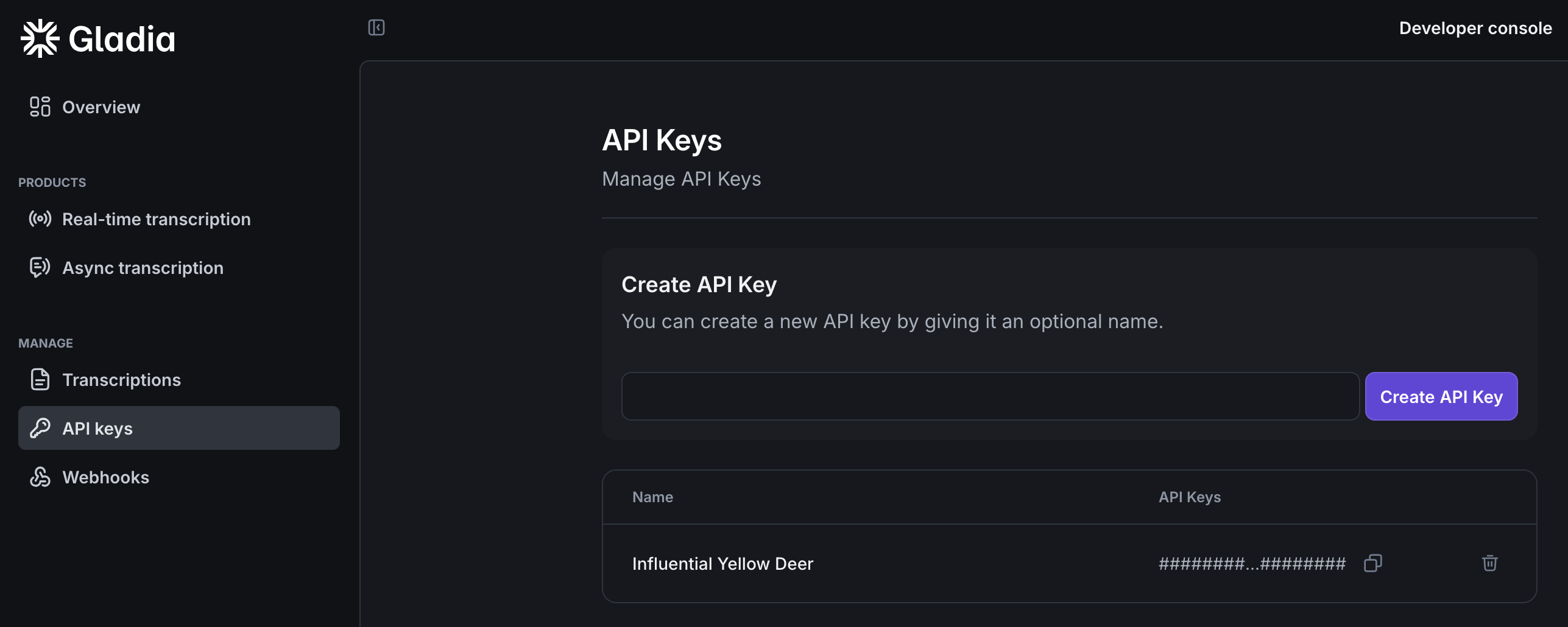
Now that you signed up, login to app.gladia.io and go to the [API keys section](https://app.gladia.io/apikeys). We should have already
created a default key for you. You can use this one or create your own.
 Gladia offers 10 Hours of free audio transcription per month if you want to test the service!
With your API key, you're now ready to use Gladia APIs.
## Authenticate your API calls
Once you got your API key, pass it in the header `x-gladia-key`, like this:
```bash theme={"system"}
curl --request GET \
--url https://api.gladia.io/v2/transcription \
--header 'x-gladia-key: YOUR_GLADIA_API_KEY'
```
The header authentication method ensure that you are able to use Gladia in any environment or any cloud-based third party
service.
This is the **only** authentication method you'll need to use all the API endpoints.
Next, we'll see what's the general pre-recorded flow and how to manage it on your side.
Gladia offers 10 Hours of free audio transcription per month if you want to test the service!
With your API key, you're now ready to use Gladia APIs.
## Authenticate your API calls
Once you got your API key, pass it in the header `x-gladia-key`, like this:
```bash theme={"system"}
curl --request GET \
--url https://api.gladia.io/v2/transcription \
--header 'x-gladia-key: YOUR_GLADIA_API_KEY'
```
The header authentication method ensure that you are able to use Gladia in any environment or any cloud-based third party
service.
This is the **only** authentication method you'll need to use all the API endpoints.
Next, we'll see what's the general pre-recorded flow and how to manage it on your side.